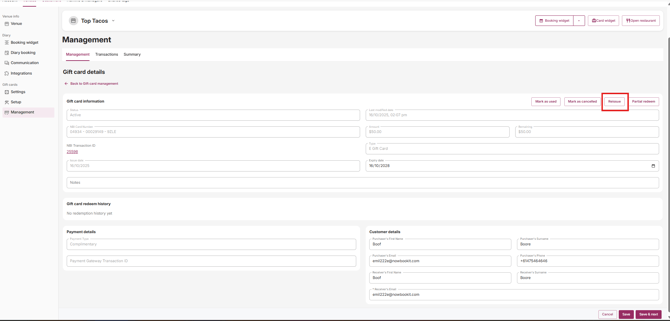
Resend a gift voucher to a customer directly from your Admin Portal or Diary.
Step 1: Open Gift Card Management
From Admin:
- Go to admin.nowbookit.com
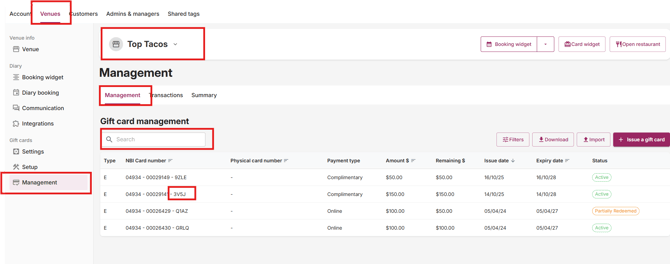
- Click Gift Card Management in the sidebar
From the Diary:
- Click the three white dots in the top right-hand corner
- Click Gift Cards
Step 2: Find the voucher
- Click the Management tab on the left-hand side, under the Gift Cards heading.
- Search for the gift card using the last 4 digits or letters on the card, or search by surname or email address.
- Click the correct gift card to open it.
Step 3: Reissue
Click Reissue at the top of the page. This resends the voucher to the email address listed under Receiver's Email.
Reissuing to a different email address
If the voucher needs to go to a new email address instead:
- Follow Steps 1–2 above to search for and open the gift card.
- Update the Receiver's Email field with the new address.
- Click Save.
- Reopen the gift card and click Reissue. The voucher will be sent to the new address.