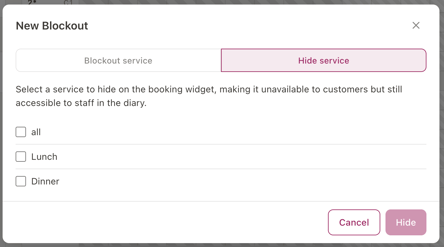
Hiding a service is different to a blockout: it makes the service unavailable to customers on your booking widget, while keeping it fully bookable by staff in the Diary.
From the Diary view:
- Click the three dots in the top right corner of the screen.
- From the menu, select New Blockout
- A window appears with two options - choose Blockout by Service then select Next
- Select the Hide Services Tab
- Tick the Service you want to block i.e. lunch, dinner
- Select Create to save