Sections help you organise your Diary by grouping tables together. For example, "Main Dining", "Terrace", or "Bar". Once a section is set up, it stays available in this area, as it's linked to a number of resources in the system.
Note: Sections cannot be deleted. If you no longer use a section, you can deselect it instead of removing it.
Adding a new section
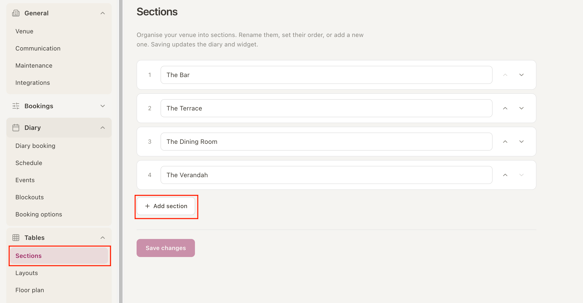
- Go to Venue Settings > Tables > Sections
- Click the + Add section button.
- Enter a Name for the section.
- Click Save.
- Go to the Layouts tab to add tables to your new section.
Reordering sections
- Go to Venue Settings > Tables > Sections.
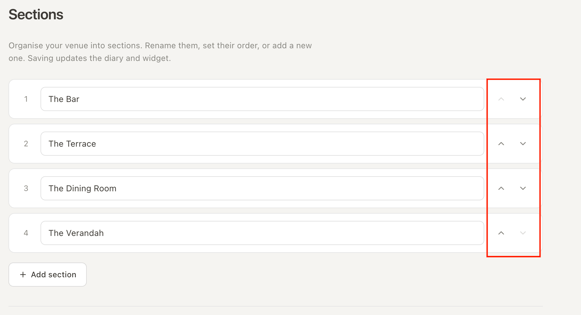
- Use the arrows on the right-hand side of the screen to move a section up or down.
Your Diary will now display sections in the new order.