
Managing Lists
Contacts can be added into Lists for a simple yet useful way of segmenting your database.
However, unlike saved filters that are built using fields where the values stored for a contact may be updated or changed, once a contact is added to a List they will remain there unless you remove them.
Lists come with requested management features to give you deeper control over your database.
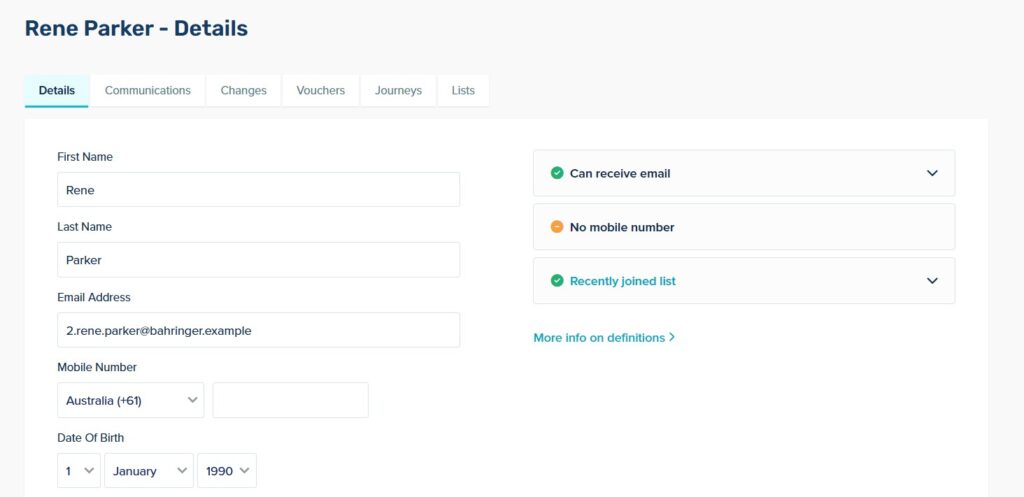
Contact Profile ViewVisibility:
See the lists a contact has joined from their profile page.
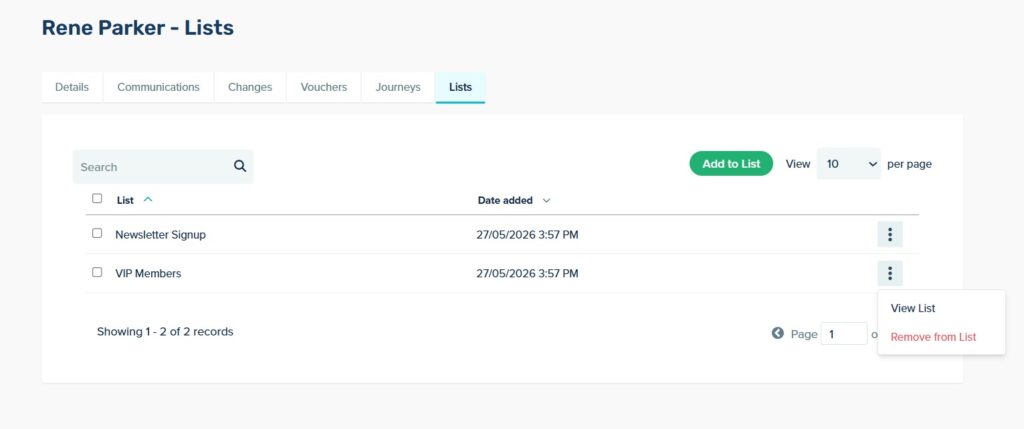
In-Profile Management:
Add or remove a contact from any list without leaving their profile.
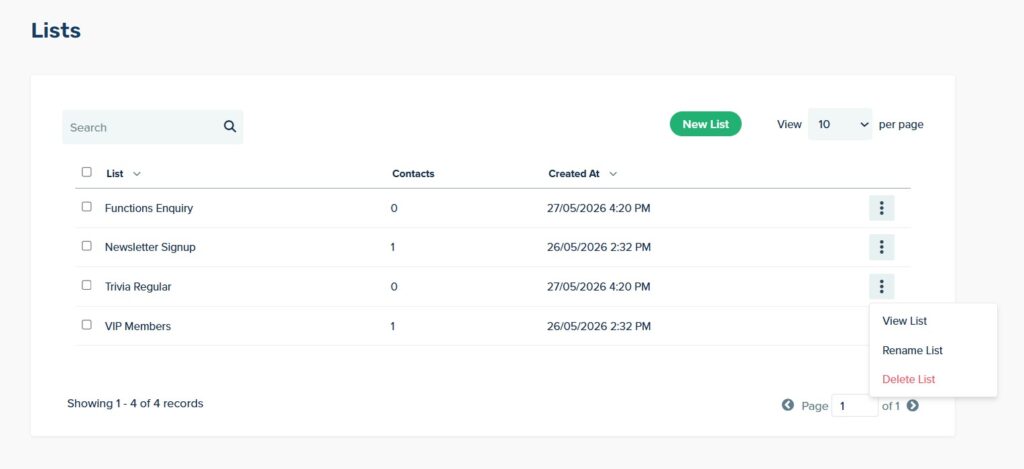
Lists Index:
You can create, rename, or delete your lists from one centralised page.
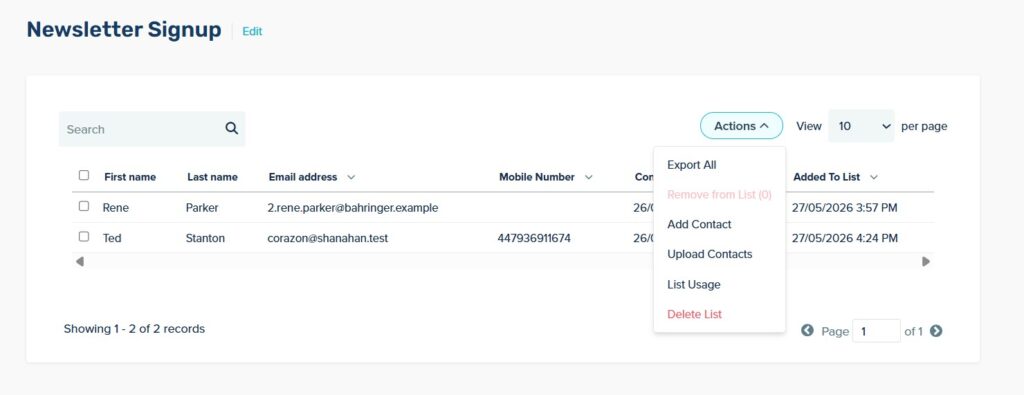
- Search & Add: Find a contact and add them to a list.
- Imports & Exports: Upload a CSV into a specific list, or export a list file when you need it.
- Usage Tracking: Check which communications, automations or forms are tied to a specific List.
- Join Date Timestamps: Track when contacts joined a specific list for chronological insights.
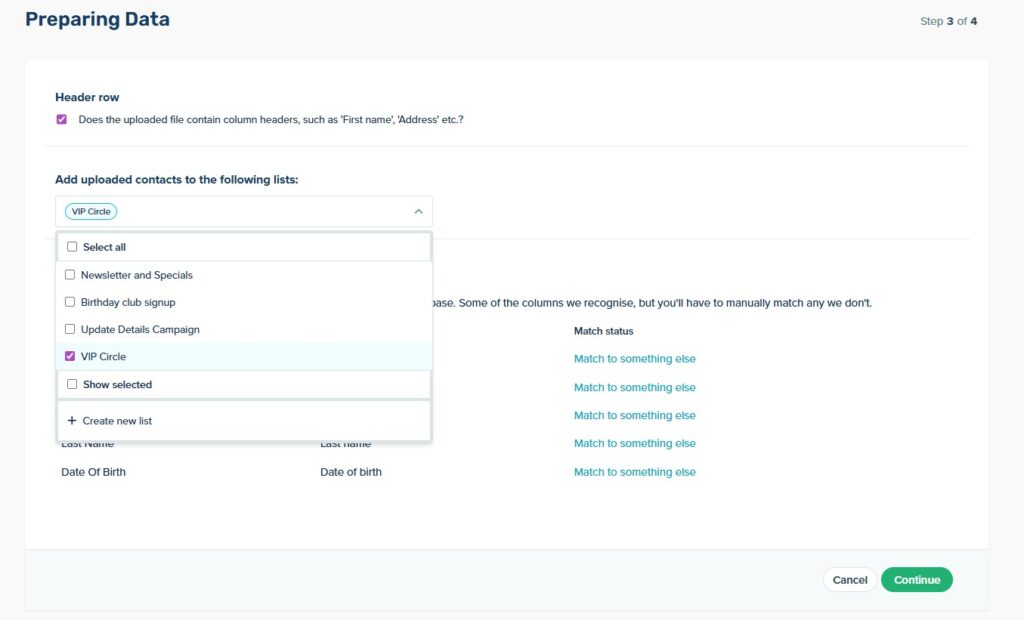
When uploading a CSV file, you can either select an existing List to a the Contacts to, or create a new one.
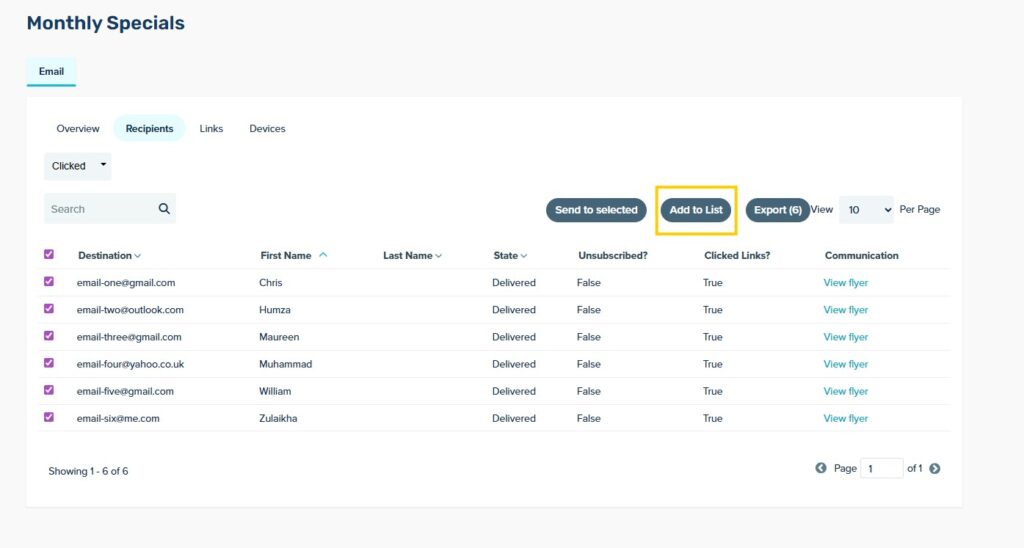
You can also add contacts to a List directly from a Sent Communication report, by navigating to the Recipients tab of a report. There you can filter contacts to find those who have opened or clicked on a communication then click ‘tag as’ to apply a tag. This can be helpful if you want to re-target these contacts or track their behaviour after receiving the communication.
We are also working on brand-new API endpoints designed to make automated list management easy. You will be able to use simple endpoints and parameters to:
- Create new Lists.
- Add or append Contacts to existing lists based on external triggers.
- Replace an entire List’s contents in a single action.